The best social media scheduler in 2026 does more than queue posts — it writes, publishes, and builds links. Expect $22–$29.90/month for standalone tools like Blaze AI, SocialBee, or SmarterQueue, or consolidate everything into SocialAI : Autonomous AI SEO, Auto-Backlinks & Social Media Scheduler, which runs content creation, backlinks, and 11 networks from one website connection.
Social Media Scheduler Review: What the Best Tools Get Right in 2026
The bar has moved. A scheduler that only holds captions in a queue is now table stakes — buyers want publishing reliability, AI drafting, SEO article output, backlink automation, transparent USD pricing, and a migration path that doesn't cost them a month of momentum. This review scores every tool against those seven criteria, not against a feature-count checklist.
Best Social Media Scheduler App vs. Best AI Social Media Post Creator
A scheduler answers "when does this go live?" An AI post creator answers "what do I even say today?" The strongest platforms now answer both, and the gap between them is where most buying mistakes happen.
- Scheduler-first tools win on queues, approvals, and multi-account governance — ideal when content already exists.
- AI-first tools win on output volume, but often stop at captions and never touch long-form SEO.
- Autonomous engines like SocialAI close the loop: keyword research → 1,800+ word article → backlinks → social distribution.
How We Compared Features, USD Pricing, and Payment Accessibility
Every platform was assessed on the same commercial questions a founder or agency actually asks before paying: what does it replace, what does it cost in dollars, and can my card or wallet clear the charge?
- Reliability: native API publishing vs. reminder-based posting, plus failure handling.
- Content depth: AI captions only, or full SEO articles with images and internal links.
- Distribution: number of connected networks, including Discord, Telegram, and WhatsApp Business.
- Pricing clarity: visible USD tiers, free-plan limits, and upgrade triggers.
- Payment access: Stripe, PayPal, Visa/Mastercard, Apple Pay, and regional gateways.
- Migration effort: export options, reconnect time, and calendar rebuild.
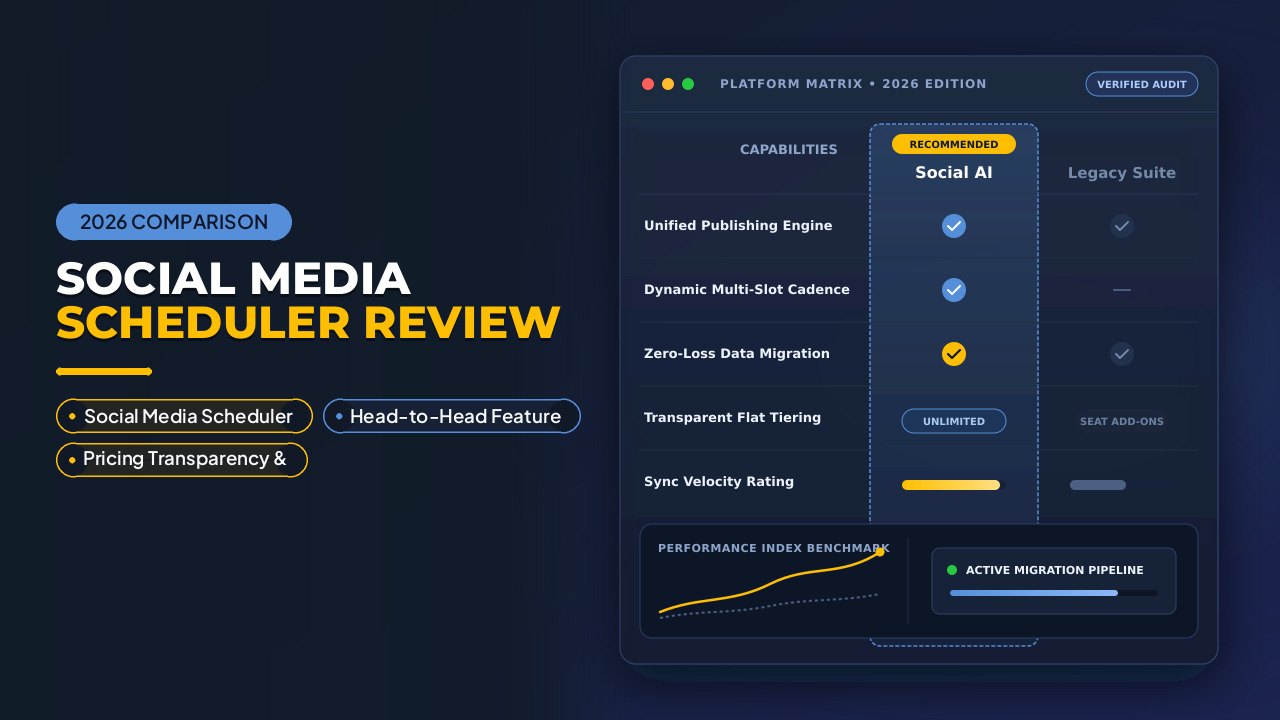
Head-to-Head Feature Comparison: Social AI vs. SocialBee, Blaze AI, SmarterQueue, Buffer & Hootsuite
Feature parity is a myth at this price band. Each tool optimizes for a different job, and the right pick depends on whether you're buying a calendar or buying output.
Scheduling, AI Writing, SEO Articles, Backlinks, and Multi-Network Publishing
SocialAI is the only platform in this comparison that treats scheduling as the last step of a content pipeline rather than the whole product. Connect your URL or XML sitemap once and it generates a 30-day buyer-keyword calendar, writes and illustrates each article, inserts internal links, builds Web 2.0 backlinks across 13 trusted platforms, and rewrites custom hooks for every network.
- Publishing reach: 11 social networks including Instagram, TikTok, LinkedIn, X, YouTube, Facebook, Telegram, WhatsApp Business, and Discord via the SocialAI : Discord Server Auto-Poster & Webhook Scheduler.
- SEO output: 1,800+ word articles with cover imagery, internal links, and Google/Bing pings.
- Backlinks: automated Web 2.0 placements across 13 platforms — no outreach spreadsheet.
- Competitors: SocialBee, Blaze AI, SmarterQueue, Buffer, and Hootsuite focus on scheduling, recycling, and approvals; long-form SEO and backlink building sit outside their scope.
Best Social Media Scheduler Tools for Solo Founders, Agencies, and Lean Teams
Match the tool to the workload, not the logo. A solo founder needs output; an agency needs approvals; a lean team needs both without hiring a writer.
- Solo founders: SocialAI or Blaze AI — content generation matters more than governance.
- Agencies and freelancers: SocialBee at $29.00/month for category-based client workflows and approvals.
- Evergreen-heavy publishers: SmarterQueue at $29.90/month for recycling and queue logic.
- Budget testers: Buffer's free tier for up to three channels before committing.
- Enterprise social teams: Hootsuite when compliance, streams, and seat-based governance are non-negotiable.
| Platform / Tier | Supported Channels | Pricing ($) | Payment Support | Automation Capabilities |
|---|---|---|---|---|
| SocialAI — Autonomous Growth Engine | 11 networks: Instagram, TikTok, LinkedIn, X, YouTube, Facebook, Telegram, Discord, WhatsApp Business and more | Free trial, then USD monthly subscription; replaces a $22.00–$29.90/month scheduler plus separate writing and backlink spend | Stripe, PayPal, Visa/Mastercard, Apple Pay, regional gateways | 30-day buyer-keyword calendar, 1,800+ word SEO articles with images and internal links, 13 Web 2.0 backlink platforms, auto-posting to 11 networks |
| SocialBee — Bootstrap / Growth | Facebook, Instagram, X, LinkedIn, TikTok, Pinterest, Threads, YouTube, Google Business Profile | $29.00/month | Visa/Mastercard, PayPal | Category-based evergreen recycling, AI copilot, approval workflows, team collaboration |
| Blaze AI — Solo / Small Team | Instagram, Facebook, LinkedIn, X, TikTok, Pinterest | $22.00/month | Visa/Mastercard | AI content generation, brand voice control, multi-channel publishing |
| SmarterQueue — Standard | Facebook, Instagram, X, LinkedIn, Pinterest, TikTok | $29.90/month | Visa/Mastercard, PayPal | Evergreen recycling, category queues, post-level analytics |
| Buffer — Free / Essentials | Facebook, Instagram, X, LinkedIn, TikTok, Threads, Pinterest, YouTube, Bluesky | Free for up to 3 channels; paid per-channel from $6.00/month | Visa/Mastercard, PayPal | Queue-based scheduling, basic AI assistant, simple performance analytics |
| Hootsuite — Standard | Facebook, Instagram, X, LinkedIn, YouTube, TikTok, Pinterest, Threads | From $99.00/month | Visa/Mastercard, PayPal, invoicing | Bulk scheduling, streams, approval workflows, enterprise analytics |
Pricing Transparency & Payment Accessibility: USD Costs, Free Plans, and ROI
Sticker price is only half the story. The real number is the total of every tool you pay to produce, publish, and promote a single post — and whether your payment method clears without friction.
Best Social Media Scheduler Free vs. Paid: When $22–$29.90/Month Tools Make Sense
Free plans exist to prove the interface, not to run a business. They typically cap channels, queue depth, or AI credits — and the cap always lands exactly where you need volume.
- Stay free while you're testing one brand, three channels, and fewer than 15 posts a month.
- Upgrade at $22.00–$29.90/month the moment you add a second brand, need approvals, or hit AI generation limits.
- Upgrade beyond scheduling when you're still paying separately for blog writing, image sourcing, and backlink outreach — that stack usually costs more than the scheduler itself.
Payment Methods, Currency Support, Refunds, and Total Cost of Ownership
Global buyers should verify four things before entering card details: USD billing, supported rails, tax handling, and refund terms. Most reputable schedulers bill in USD through Stripe or PayPal, which means Visa, Mastercard, and Apple Pay all work — but regional gateways matter if your card issuer blocks international recurring charges.
- Confirm USD billing so your card isn't hit with a surprise conversion fee each cycle.
- Check refund windows — monthly plans rarely refund mid-cycle, annual plans usually offer a short grace period.
- Calculate replacement value: one $29.00/month scheduler plus a freelance writer plus backlink outreach often exceeds $300/month; a consolidated engine removes two of those line items.
Migration Steps: How to Switch from Your Current Scheduler to Social AI
Migration is a two-hour project, not a two-week risk — provided you export before you cancel and rebuild the calendar before the old plan lapses.
Export, Connect, and Rebuild Your Calendar Without Downtime
Start by auditing what you actually use, then move data in a single pass so nothing publishes twice.
- Audit the last 90 days: active channels, posting frequency, top-performing formats.
- Export scheduled posts and analytics as CSV from your current tool.
- Connect your website URL or XML sitemap once inside SocialAI.
- Generate the 30-day buyer-keyword calendar and confirm brand voice.
- Reconnect social channels via official OAuth — no passwords stored.
- Run a live test post to Discord and one other network before going wide.
- Cancel the redundant tool only after the first automated article publishes successfully.
From Manual Scheduling to Autonomous SEO, Backlinks, and 11-Network Auto-Posting
Once connected, the workflow inverts: you stop filling a calendar and start reviewing output. Each published article triggers rewritten hooks and captions across every connected network, including vertical video pushes handled by the Start automating your content on Social AI today.